








Yum
LiveSay what you feel like eating and cook it perfectly, step by step.
The recently added recipes are in English for now; the Plus subscription opens when payments go live (waiting list).
 Open on your phone: scan the code.
yum.purceas.com
Download the app
- Pricing
- Free, optional subscription
- Account
- Optional account
- Platforms
- Web · PWA
- Verified
What it does
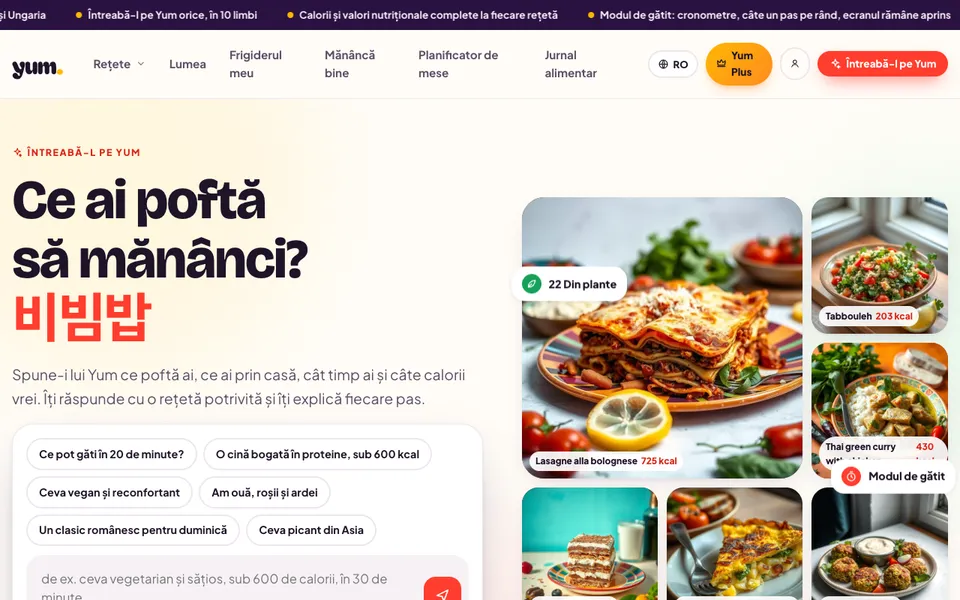
An AI cook with a library of tested recipes: say what you feel like (time, calories, diet, what is in the fridge) and Yum answers with a recipe that fits, explained step by step: exact heat, time, degrees, "done when", common mistakes, calories per serving and a cook mode with timers.
Why it matters
Recipes on the internet skip what matters: how hot the pan is, how long it really takes, what "done" looks like. Yum writes every one to the same rule, so it works the first time.
Who it is for
Anyone who cooks at home and wants recipes that work, with calories in plain sight: from "something in 30 minutes" to a week of meals on a daily target.
The experience
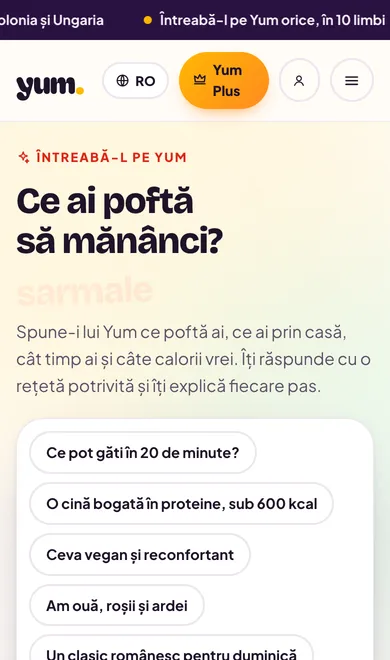
What it actually looks like.
Real capture from Yum, November 2026.
Features
What you can do with it.
- 49 recipes from 22 cuisines, written to one rule: heat, time, degrees and "done when" on every step
- Ask the cook: chat answered from the recipe library, in 10 languages
- Cook mode: one step on screen, timers with sound, screen kept awake, voice commands
- My fridge: tick what you have, recipes ranked by the fewest missing ingredients
- Calories and nutrition per serving, servings scaler, shopping list
- Eat well: daily calorie target, a day of meals from the library, food diary
How to start
Three steps.
- 01Open Yum and say what you feel like, or pick "Ready in 30 minutes".
- 02Start cook mode and follow the step on screen.
- 03If you like, tick what is in your fridge and let the recipes sort themselves.
The first step that countsThe first recipe cooked in cook mode.
Stage and limits
The real stage: Live.
Public and working. The recently added recipes are in English for now; the Plus subscription opens when payments go live (waiting list).
The limits, said plainly
- The recipes added in November are English-only until translated.
- The Plus subscription (personal memory, weekly planner, unlimited saves) opens when payments go live.
- The chat answers only about food and gives no medical advice.
Support and community
Questions, known issues, ideas and roadmap for Yum, on Purceas Fanbase — answered by the team.
Pricing
What it costs.
Free: every recipe, cook mode, nutrition, 5 AI questions a day. Plus: €4.99/month or €39.99/year, 7-day free trial.
Plus payments are not open yet: sign-ups go on a waiting list.
Source: yum.purceas.com/ro/plus/ + ~/yum README §Yum Plus (2026-11-04)
The story
Why we built Yum
What we noticed
We wanted recipes that work the first time, not 2,000-word blogs with "cook until done".
How we built it
One spec for every recipe (heat, time, degrees, "done when", mistakes, nutrition), then an AI cook that answers only from the library.
What we learned
Cook mode with timers is used more than the chat: people want to cook, not chat.
What comes next
A library of over 1,000 recipes, a short video per recipe and Plus payments.
Updates
What changed.
- Launch on yum.purceas.com: 49 recipes from 22 cuisines, in 10 languages, with "Ask the cook"
- Voice cook mode, installable PWA, food diary, real ratings
- Yum Plus: passwordless account, weekly planner, shopping list (payments follow)
Learn
How to use it.
Lessons and tutorials in Academy, free.
Related